

 Image 1 of 2
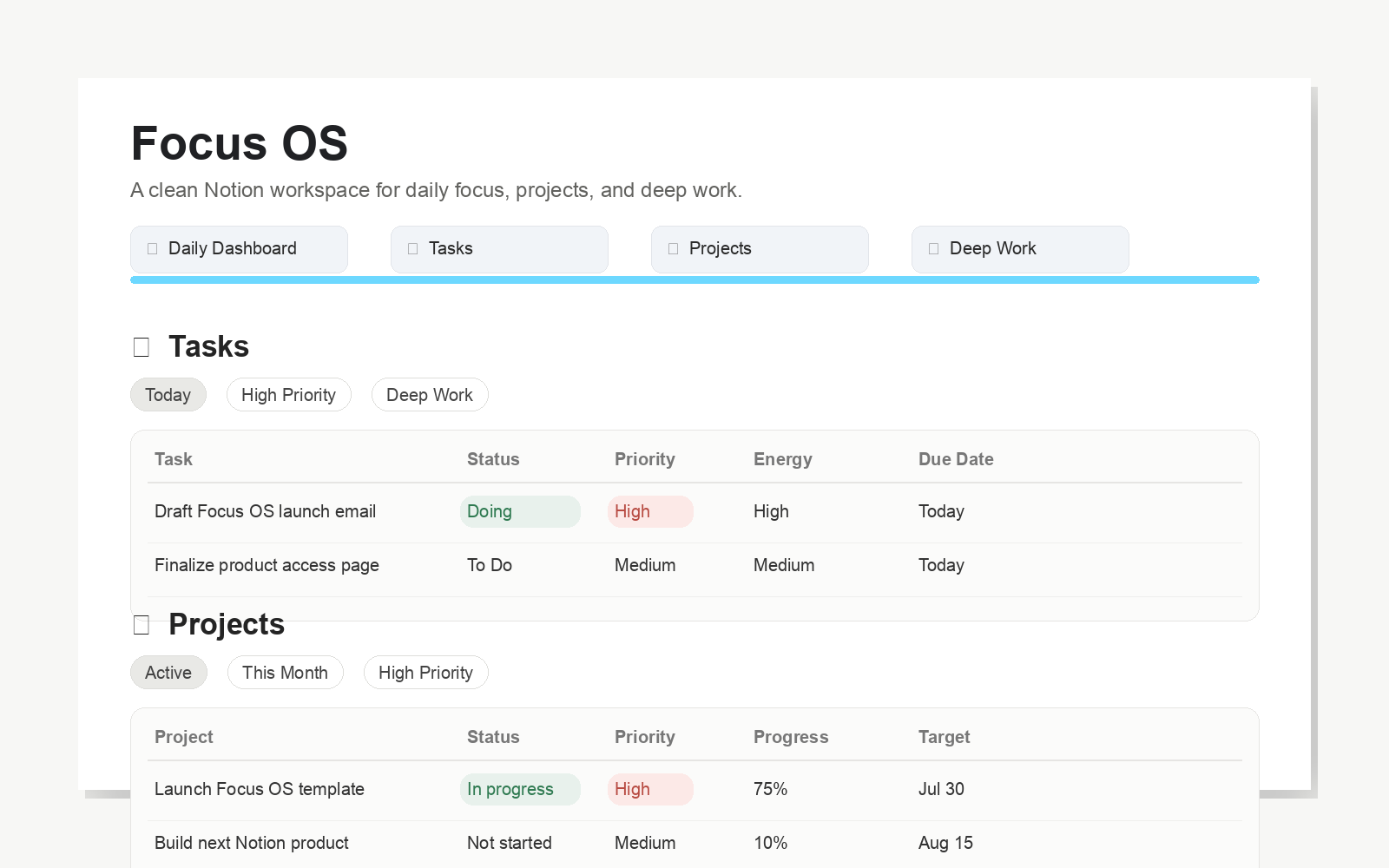 Image 2 of 2
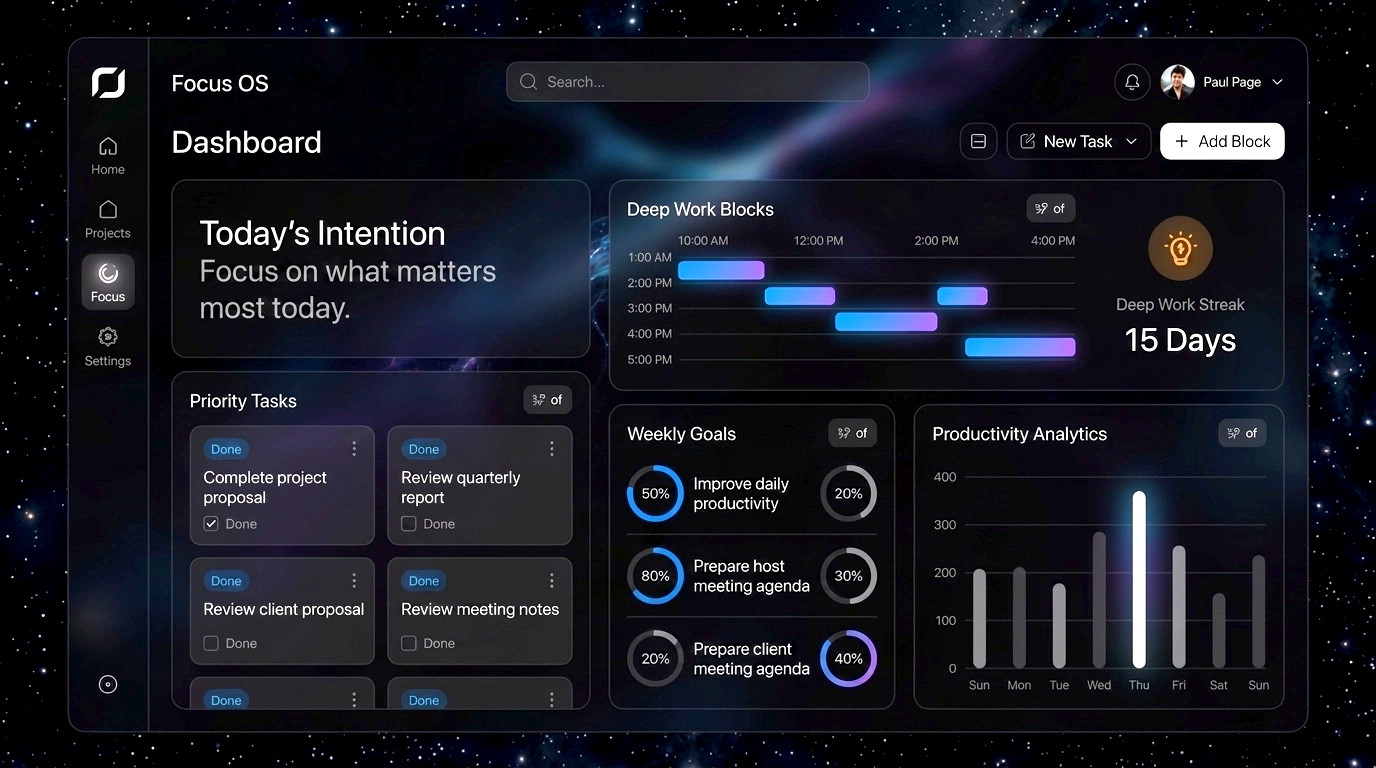
Focus OS — Daily Focus & Deep Work System
Protect your attention. Structure your day. Stay in flow longer.
Focus OS is a clean Notion productivity system built to help you plan your day, organize priorities, protect deep work, and track real progress without overcomplicating your workflow.
What’s Included:
• Daily Dashboard for setting your intention and planning your day
• Tasks database with Priority, Energy, Due Date, Status, and Deep Work tracking
• Projects database linked to tasks so your bigger goals stay connected to next actions
• Deep Work Sessions database for logging focus blocks, duration, wins, distractions, and reflection
• Weekly Review database to review wins, open loops, lessons, and next week’s priorities
• Instruction Booklet to help you set up and start using Focus OS quickly
How to Get It:
After purchase, you’ll receive access instructions with a private Focus OS access link. Open the template in Notion, click Duplicate, and add it to your own workspace.
Works with any Notion plan. Takes only a few minutes to duplicate and start using.
Focus OS — Daily Focus & Deep Work System
Protect your attention. Structure your day. Stay in flow longer.
Focus OS is a clean Notion productivity system built to help you plan your day, organize priorities, protect deep work, and track real progress without overcomplicating your workflow.
What’s Included:
• Daily Dashboard for setting your intention and planning your day
• Tasks database with Priority, Energy, Due Date, Status, and Deep Work tracking
• Projects database linked to tasks so your bigger goals stay connected to next actions
• Deep Work Sessions database for logging focus blocks, duration, wins, distractions, and reflection
• Weekly Review database to review wins, open loops, lessons, and next week’s priorities
• Instruction Booklet to help you set up and start using Focus OS quickly
How to Get It:
After purchase, you’ll receive access instructions with a private Focus OS access link. Open the template in Notion, click Duplicate, and add it to your own workspace.
Works with any Notion plan. Takes only a few minutes to duplicate and start using.